User Guide

Want to cancel your Limited Express ticket for some of the passengers?

STEP1
Enter your Limited Express ticket information.
See more details.
Close
image

Expansion

image
  • 1

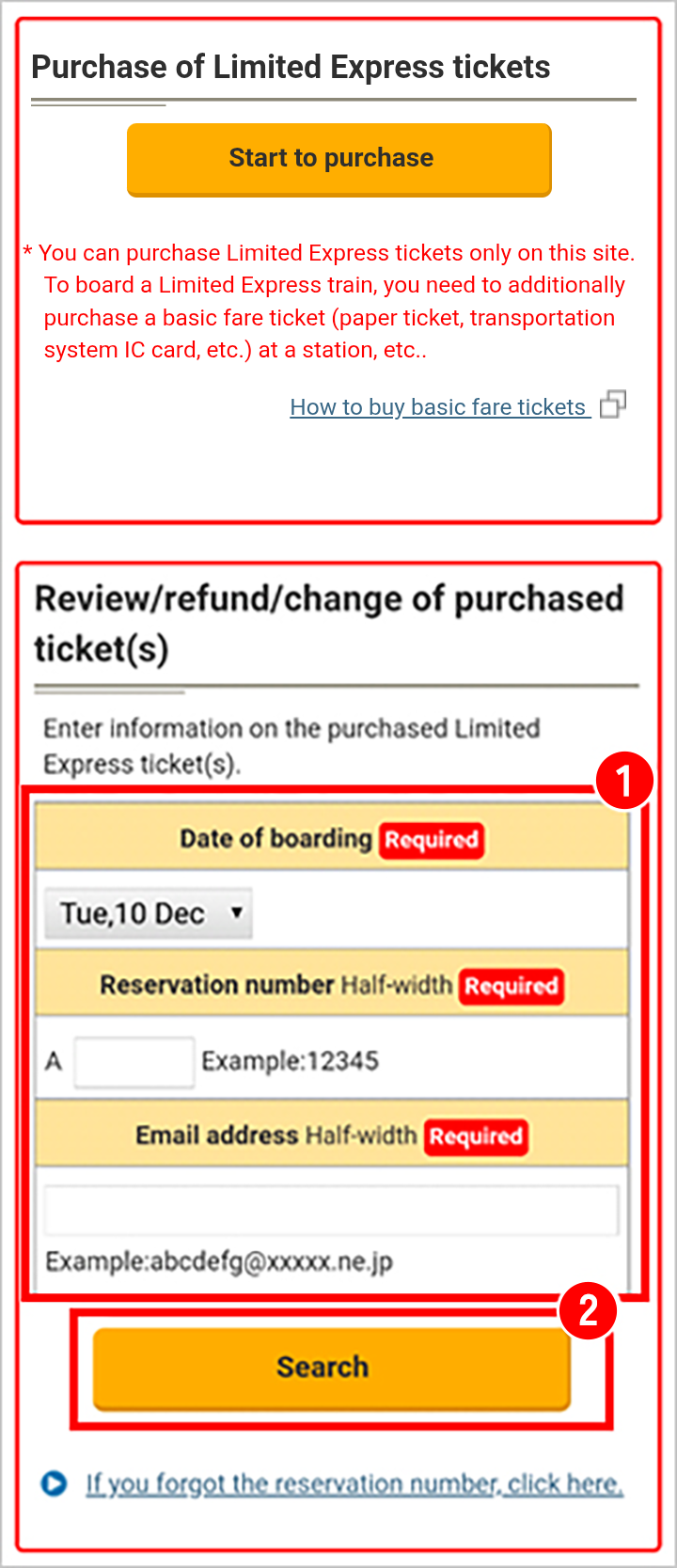
    From the Top Page, enter the date of boarding and the reservation number for the Limited Express ticket that you wish to search for, and the e-mail address entered at the time of purchase.
    * The reservation number is indicated on the displayed/printed e-ticket or the screen indicating the results of the purchase (or change).

  • 2

    Click the "Search" button. ▶If you forgot the reservation number
STEP2
Display your Limited Express ticket
See more details.
Close
image

Expansion

image
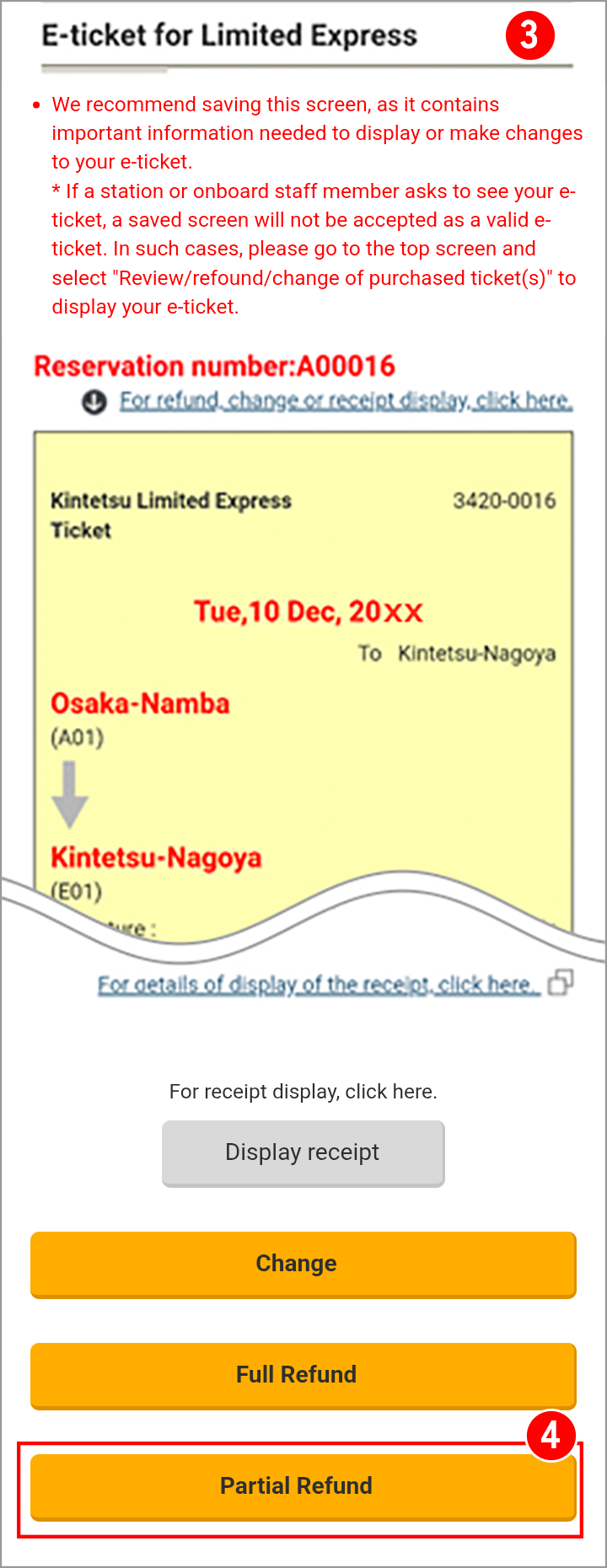
  • 3 Show your e-ticket for Limited Express ticket on the display.
  • 4 Click the "Partial Refund" button.
STEP3
Select the number of people and seats.
See more details.
Close
image

Expansion

image
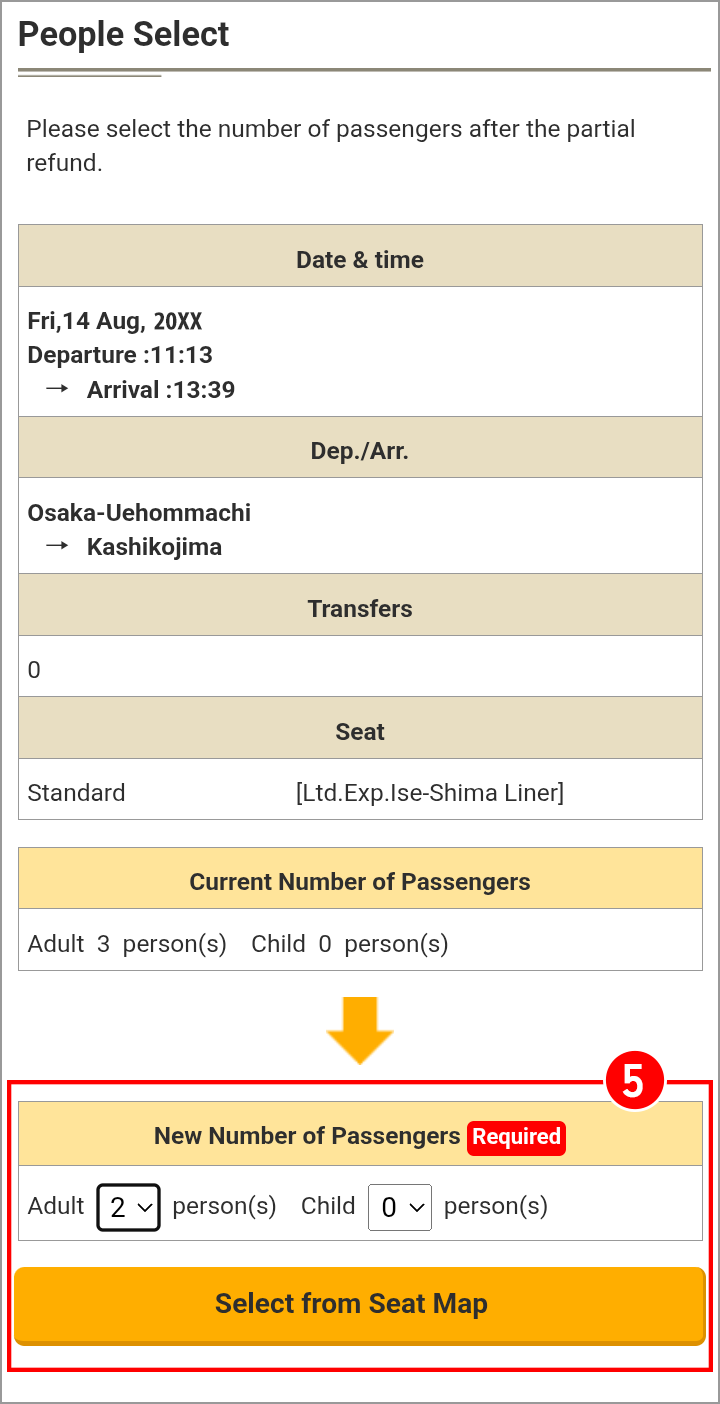
  • 5 Please select the updated number of people and click the "Select from Seat map" button.
image

Expansion

image
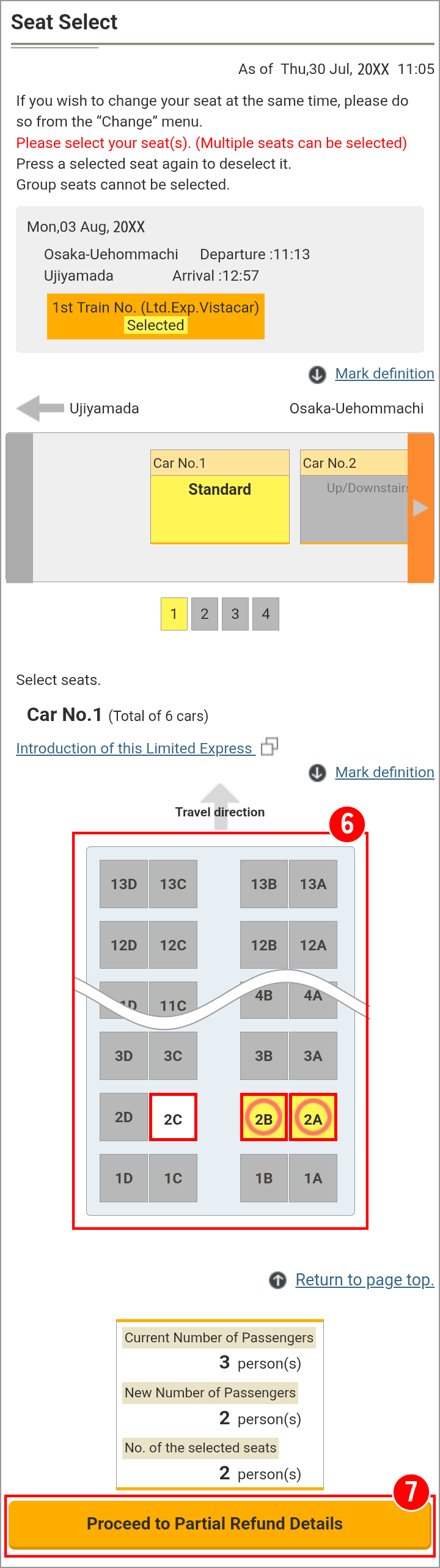
  • 6 Seats that have already been purchased are outlined in red, so please select the seat you wish to use.
  • 7

    Please click the "Proceed to Partial Refund Details" button. * If you will transfer from one Limited Express train to another, select seats for each Limited Express train.

STEP4
Confirm
See more details.
Close
image

Expansion

image
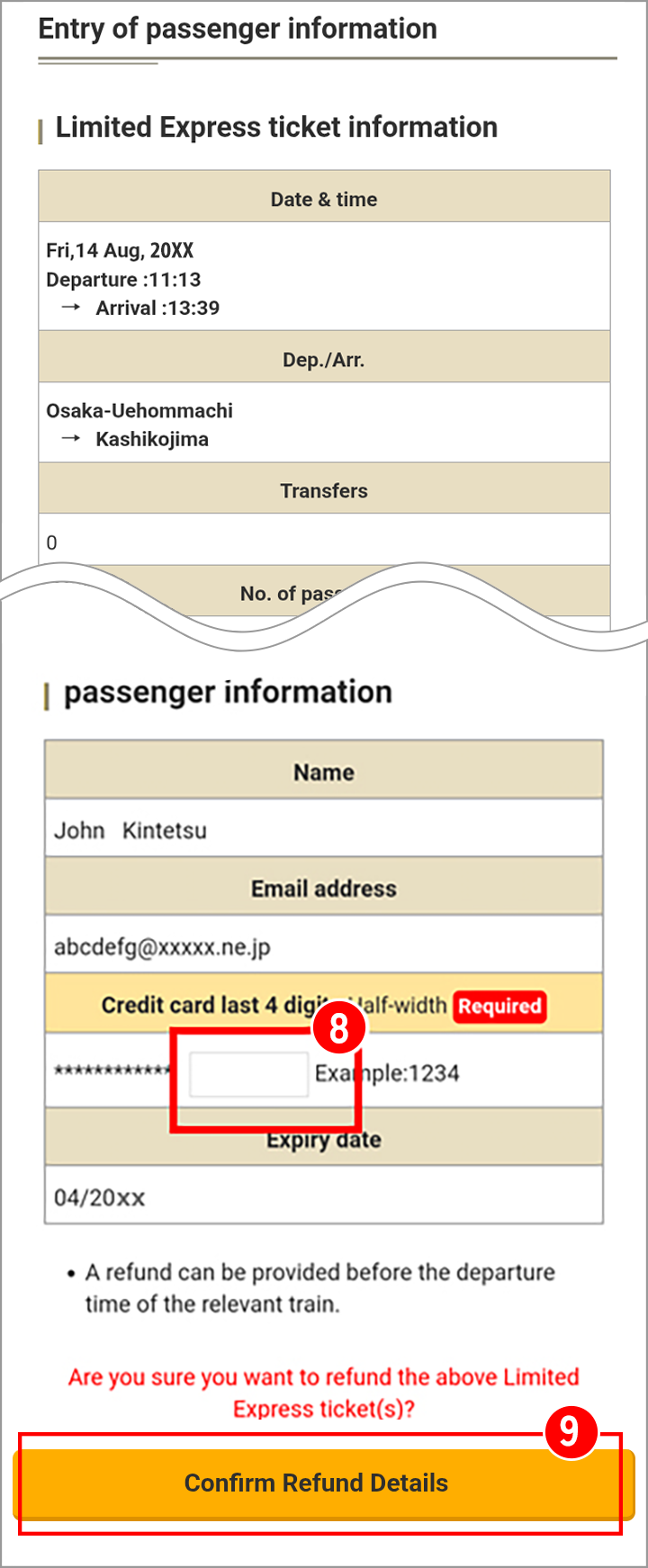
  • 8 For authentication, enter the information of the credit card used for the payment.
  • * Note:
    Please note that if you enter the wrong number multiple times, you will not be able to redisplay, change, or refund this Limited Express ticket on that day.
  • 9 Check that the Limited Express ticket Information shown is correct and then click the "Confirm Refund Details" button.
image

Expansion

image
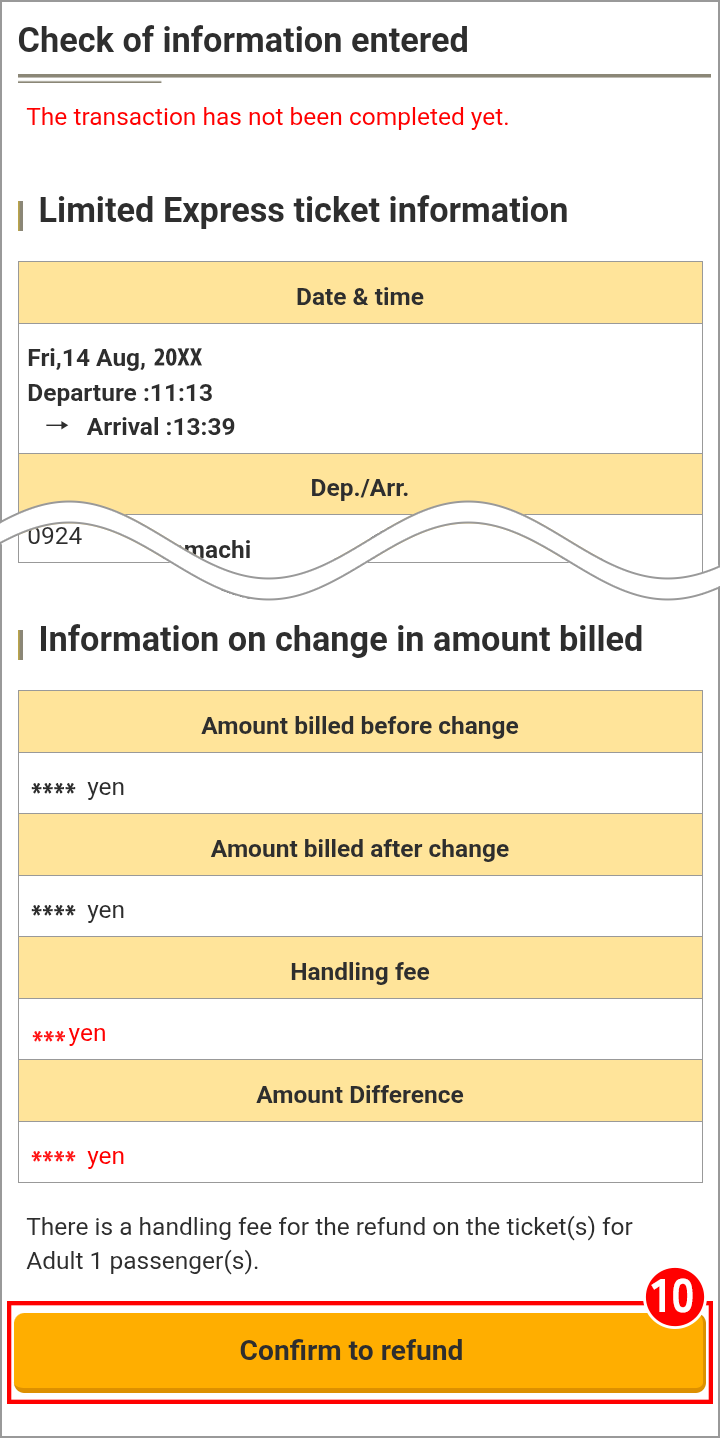
  • 10 Please check the displayed information for any errors and click the "Confirm to Refund" button.
STEP5
Completion
See more details.
Close
image

Expansion

image
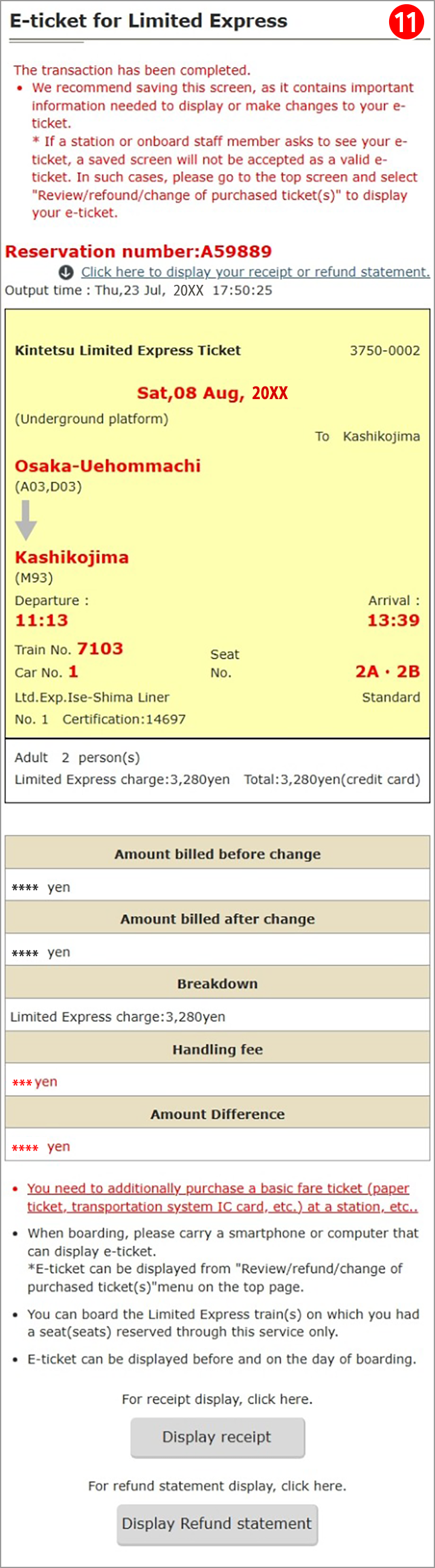
  • 11 The change completion screen (ticketless limited express ticket screen) will be displayed.

◎ Please be aware of the following items concerning the refund statement.

* Please check, in advance yourself, whether the printed form of the statement may be used in your expense reconciliation process.

* This statement is a displayed version of the refund data saved electronically.

* A refund statement will not be issued at a station based on the printed form of the statement.

* The images shown are from the smartphone display. The layout may differ slightly when viewed on a PC.

Back to the top of the page

Copyright©Kintetsu Railway Co.,Ltd. All Rights Reserved.
Click here
to buy a Limited Express ticket.