
Getting off the train
After the train arrives at the destination, please get off the train in an orderly manner.
Finding your exit gate
Exit information (posted inside the gates)
-
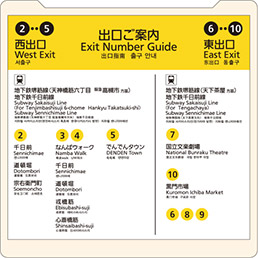
-
Exit information are posted on platforms and other places.
Use them to confirm which exit is convenient for reaching your destination.
Going through the gate
-
Gate accepting tickets,
magnetic cards, and IC cards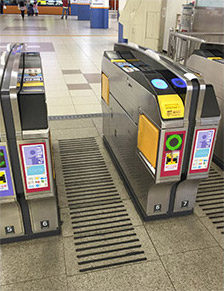
-
Gate accepting only IC cards
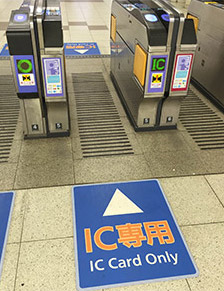
-
Contactless automatic fare gates

When you have a ticket or magnetic card
Ticket ・ Magnetic card
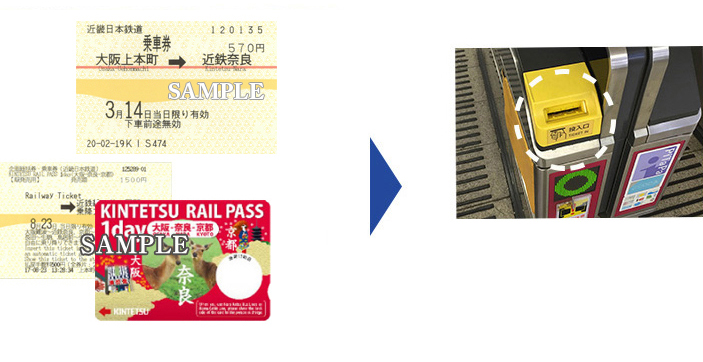
Insert your ticket or magnetic card into the slot on the gate.
Be sure not to leave your ticket or magnetic card behind.
When you have QR code (digital ticket)
QR code (digital ticket)

Display the QR code on your smartphone or other device and hold it over the QR code reader at the automated ticket gate.
*QR Code is a registered trademark of DENSO WAVE INCORPORATED.
When you have an IC card
IC card (ICOCA, Suica, etc.)
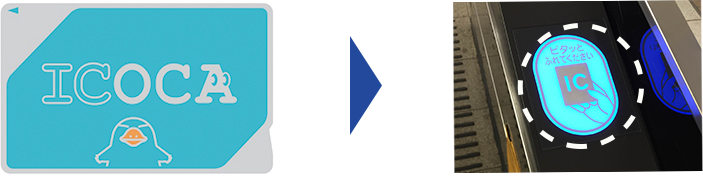
Touch your IC card on the IC card reader on the gate.
When you have contactless payment
Contactless cards (credit, debit, or prepaid) or smart devices with a card set up
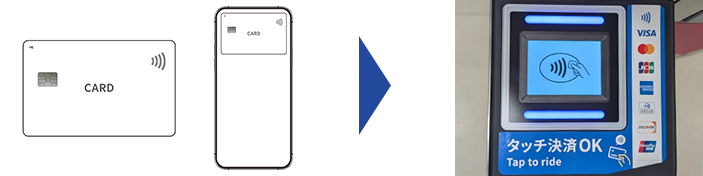
When you need a fare adjustment
When you have taken the train beyond the station to which you purchased a ticket, or when your IC card balance is short, use a fare adjustment machine.
When you have taken the train beyond the station to which you bought a ticket for
1Insert your ticket into the fare adjustment machine.
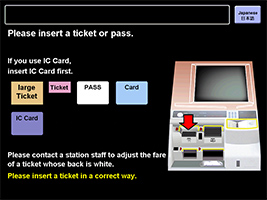
2The shortfall is shown on the machine. Insert cash.
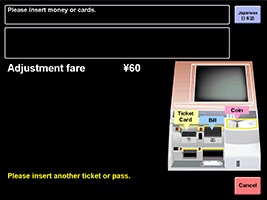
3The machine will issue a fare adjustment ticket. Use it to go through the gate.
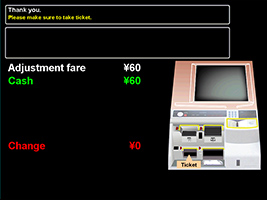
When your IC card balance is short
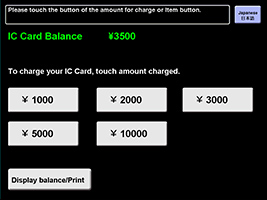
1Insert your IC card into the fare adjustment machine.
2After the screen changes, insert cash into the machine.
Amounts you can charge on your IC card at once are 1,000 yen, 2,000 yen, 3,000 yen, 5,000 yen, or 10,000 yen.
The maximum amount that can be charged on an IC card is 20,000 yen.
Press the amount you wish to charge.
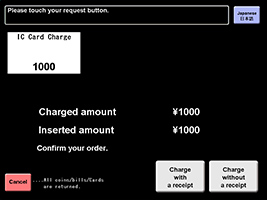
3Press either the "Charge with a receipt" button or the "Charge without a receipt" button.
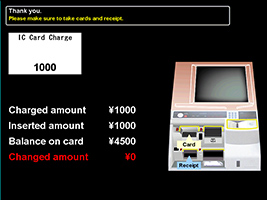
4Take your IC card (and the receipt).
To look up ways to get from a station to your destination
-
-
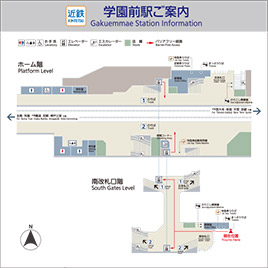
Station maps will show station facilities and exits to major buildings nearby.
-
-
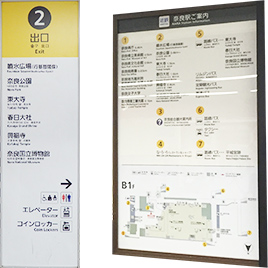
Outside the gates, signs will lead you to major buildings near the station.